> For the complete documentation index, see [llms.txt](https://help.citrusad.com/retail-media-interface/llms.txt). Markdown versions of documentation pages are available by appending `.md` to page URLs; this page is available as [Markdown](https://help.citrusad.com/retail-media-interface/partner/partner-api-overview/frequently-asked-questions.md).
# Frequently asked questions
## Bulk operations with Partner APIs
### What are bulk operations?
Bulk operations allow you to create, edit, or approve multiple campaigns, wallets, or teams in a single API request instead of making individual calls.
### Are bulk operations synchronous or asynchronous?
Asynchronous. You submit a job and poll for results using the bulk ID.
### What happens if some items in my bulk request fail?
Each item is validated independently. You'll get detailed results showing which succeeded and which failed with specific error messages.
## Team and User
### What is an invitation?
An invitation allows a user to join a team in the Epsilon Retail Media platform. Invitations are typically sent by team administrators and must be accepted either via email or within the platform before the user can access team resources.
### How do I create a new team?
Use the [Create team](/retail-media-interface/partner/team-user-api/team/createteam-1.md) endpoint with required fields like team name, company information, and namespace ID. You'll need appropriate permissions to create teams within your organization.
### Can I belong to multiple teams?
Yes, users can belong to multiple teams simultaneously. Each team membership may have different permission levels and roles.
### What's the difference between Retailer and Supplier teams?
Retailer teams manage and review campaigns, while Supplier teams (advertisers) create and manage campaigns. The team type determines available features and permissions.
### How do I change my user permissions?
Team administrators can modify user permissions using the Modify user permission endpoint. Permission types include Full access and Report View for both Retailer and Supplier roles.
### What happens when I remove a user from a team?
Removing a user revokes their access to that team's resources, campaigns, and data. The user will no longer receive team notifications or be able to perform team-specific actions.
### How long are invitation tokens valid?
Invitation tokens have an expiration period. Contact your team administrator if your invitation has expired and you need a new one.
### Can I update team information after creation?
Yes, use the Update a team endpoint to modify team details including name, company information, phone number, website URL, and address.
### What file types can I upload for logos?
The [Upload a file](/retail-media-interface/partner/team-user-api/user-1/uploadfile-1.md) endpoint supports common image formats for team and user profile logos. Check the API documentation for specific file size and format requirements.
### How do I find teams I can join?
Use the Lists all teams endpoint with appropriate filters like name, `namespace_id`, or `seller_id` to discover available teams within your organization.
## List campaigns
### When should I use `managedOnly`?
In the Epsilon Retail Media system, some campaigns are managed by retailers rather than suppliers. For product ads, the only available spend type is fixed tenancy. Use the `managedOnly` parameter to fetch only fixed tenancy campaigns.
## Create or update campaigns
### When do I use `managerTeamId`?
Use the `managerTeamId` parameter when creating or updating fixed tenancy campaigns. When specifying `managerTeamId`, you will also need to specify the relevant fixed tenancy strategy settings.
### What is a `namespaceId`?
The `namespaceId` is the unique identifier for the namespace where campaigns are created or updated. For more information, see Namespaces. You can also contact your Customer Integration Engineer (CIE) to obtain this value.
### What is a `placementId`?
Placements specify the locations where ads are displayed. Each placement in the Epsilon Retail Media system has a unique identifier called `placementId`.
Use the [Returns a list of placements](/retail-media-interface/partner/global-api/placements/listplacements.md) API to fetch the `placementId`. Alternatively, contact your CIE to obtain this value.
### What is a `walletId`?
A walletId is the identifier of an advertiser's wallet. Each advertiser can have one or many wallets. Each wallet will have a value of credits that it can spend. By setting the walletId, you are setting which advertiser's wallet will be charged for the campaign.
### What is a `templateId`?
The `templateId` is used in Ad Genius implementations. It is not commonly used by most customers and can generally be ignored.
### What are custom fields?
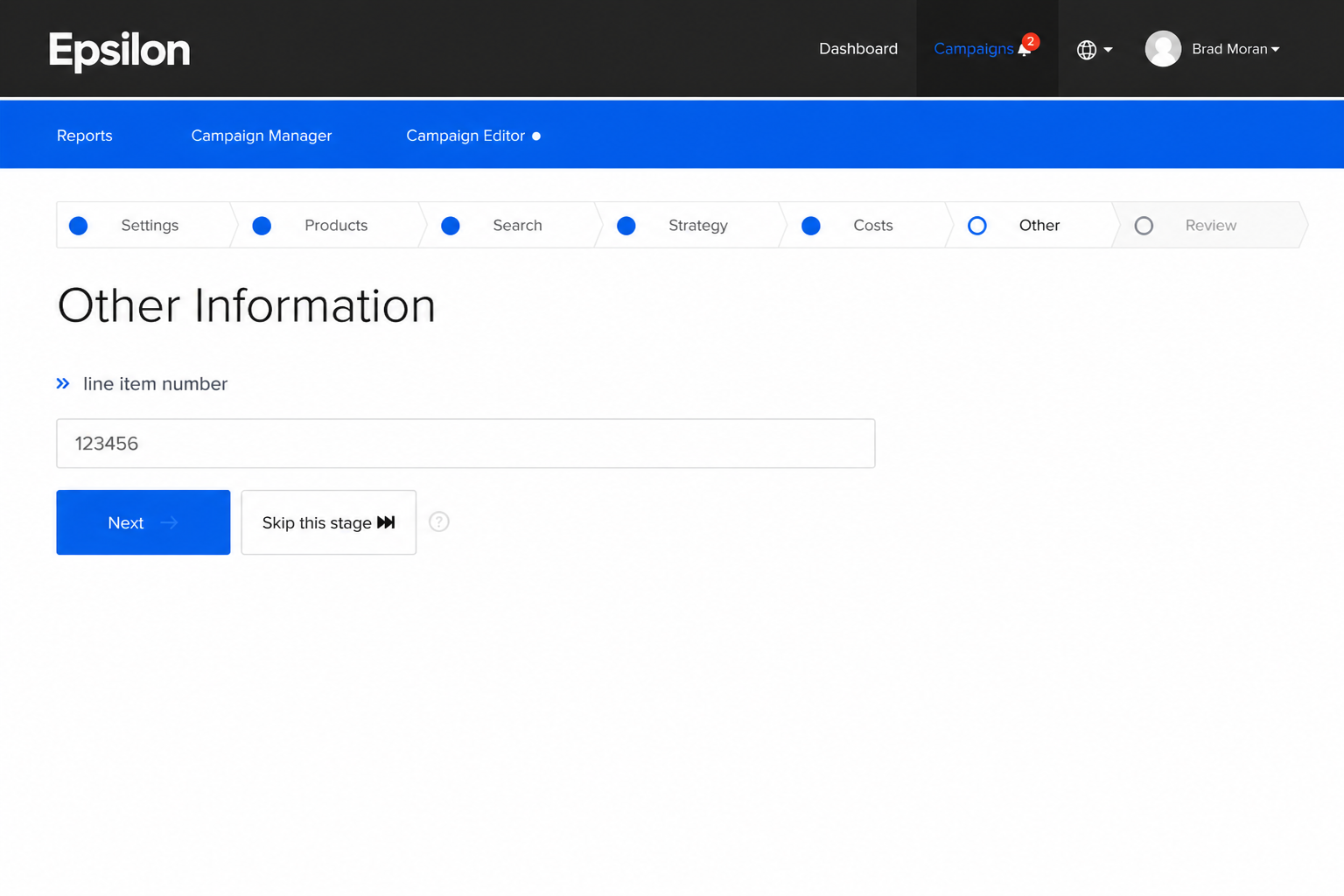
In the Epsilon Retail Media platform, some retailers need custom attributes for campaigns, like purchase orders and buyer details. An example is below:
If your integration doesn't require these, you can ignore this field. If it does, your CIE will provide the necessary IDs.
### What are custom questions?
In namespaces with integrated customer targeting data, advertisers can target customer segments using `key:value` pairings. For more information, see Customer data.
In namespaces with custom questions, you can indicate to advertisers whether these questions are optional or required and provide the relevant configuration. Your CIE can provide the `customQuestionIds` if they are configured in your namespace.
### Do I need to specify `startTime` and `endTime`?
You can omit this if the campaign is intended to be always on. If your advertiser wants to set an active period, your should provide both values in ISO-8601 format.
### How can I update a specific property without sending the entire campaign object when making an update (PATCH)?
Our APIs use a `mask` property which allows you to update a specific property without sending the whole campaign object.
#### Key points
* **Placement**: Ensure the `mask` property is correctly positioned in your request.
* **Error handling:** If you encounter a permissions error, check the format of the mask in your request.
#### Examples
**Changing a simple property** like the campaign name, use the following:
```json
{
"productCampaign": {
"name": "new campaign name"
},
"mask": "name"
}
```
**Changing a nested property** like the `maxBid`:
```json
{
"productCampaign": {
"strategy": {
"auction": {
"maxBid": "5"
}
}
},
"mask": "strategy.auction.maxBid"
}
```
**Changing multiple properties** like `searchTerms` and the `maxBid`, use a comma delimited list of properties you're updating in `mask` property:
```json
{
"productCampaign": {
"targeting": {
"searchTerms": [
{
"matchType": "MATCH_TYPE_EXACT_MATCH",
"phrase": "yoghurt_new",
"suggested": false
},
{
"matchType": "MATCH_TYPE_EXACT_MATCH",
"phrase": "dairy",
"suggested": false
},
{
"matchType": "MATCH_TYPE_EXACT_MATCH",
"phrase": "cheezy_new",
"suggested": false
}
]
},
"strategy": {
"auction": {
"maxBid": "6.5"
}
}
},
"mask": "targeting.searchTerms,strategy.auction"
}
```
## Wallet
### Why do I need a wallet?
Wallets are used to manage campaign funds and ensure transactions are processed in the correct currency. For more information, see Purpose.
### Can I have multiple wallets?
Yes, you can create multiple wallets to manage different currencies or campaign budgets separately. For more information, see Multiple wallets.
### Where can I find a wallet ID?
To find a wallet ID, you can follow these steps:
**Legacy Platform:** Go to the **Team Billing** page to view your Wallet ID.
**New UI:** Open the **Wallet Manager** to find your Wallet ID.
{% hint style="info" %}
Some teams may have multiple wallets in different currencies, so ensure you select the correct one.
{% endhint %}
### What is the current balance?
The current balance is the wallet's balance without any credit top-ups or limits applied.
### What is the available balance?
The available balance is the total amount in the wallet that is available to spend at any given time. It includes the current balance plus any credit limit.
### What is a daily limit or daily spend?
A daily limit is the maximum amount your wallet can spend in a single day.
### What is budget pacing?
Budget pacing means that any unspent daily limit funds will roll over to the next day's daily limit.
### What is the remaining daily limit?
The remaining daily limit is the unspent daily limit funds from the previous day.
### What is the capped available balance?
The capped available balance is the amount the wallet allows you to spend for the day, considering any spend limits and/or top-up credits. This value is crucial because it determines if there is money available for spending.
**Capped available balance calculation**:
* **Credit limit only**: Capped available balance = Available balance.
* **Daily limit only**: Capped available balance = Daily limit + unspent rollover
* **Both credit limit and daily limit are applied**: Minimum of (Available balance, Daily limit + rollover)
Here are a few examples:
* **Example 1**: Credit limit is 10, wallet balance is 20.
* **Example 2**: Daily budget is 1000, wallet balance is 10,000.
* **Example 3**: Daily budget is 250, credit limit is 20, wallet balance is 200. In this case, the capped available balance is 220 because the available balance (current balance + credit limit) is less than the daily limit plus unspent roll over (250).
{% hint style="info" %}
Credit limits are a legacy feature and are not supported by most retailers.
{% endhint %}
### Can the wallet balance go negative?
No. Wallet balances cannot be intentionally set to negative via the Partner API. While campaign activity may temporarily affect balances, this behavior is system-driven and not user-controlled.
### Why can't I select a wallet while creating a campaign?
The wallet's currency must match the catalog's currency. For instance, if your catalog is in AUD, you cannot select a wallet in GBP. For more information, see [Currency compatibility with catalogs](/retail-media-interface/partner/billing-api/wallet.md#currency-compatibility-with-catalogs).
---
# Agent Instructions
This documentation is published with GitBook. GitBook is the documentation platform designed so that both humans and AI agents can read, navigate, and reason over technical content effectively. Learn more at gitbook.com.
## Querying This Documentation
If you need additional information that is not directly available in this page, you can query the documentation by asking a question.
Perform an HTTP GET request on the following URL with the `ask` and `goal` query parameters:
```
GET https://help.citrusad.com/retail-media-interface/partner/partner-api-overview/frequently-asked-questions.md?ask=&goal=
```
`ask` is the immediate question: it should be specific, self-contained, and written in natural language.
`goal` is what the user is ultimately trying to achieve, the reason they need the answer. Sharing it helps GitBook give you a better, more relevant answer. A goal is most helpful when it describes the outcome the user wants rather than restating the question. For example, with `ask=how do I create an API token`, a goal like `automate deployments from our CI pipeline` lets GitBook tailor the answer to that use case.
The response will contain a direct answer to the question and relevant excerpts and sources from the documentation.
Use this mechanism when the answer is not explicitly present in the current page, you need clarification or additional context, or you want to retrieve related documentation sections.