> For the complete documentation index, see [llms.txt](https://help.citrusad.com/retail-media-interface/llms.txt). Markdown versions of documentation pages are available by appending `.md` to page URLs; this page is available as [Markdown](https://help.citrusad.com/retail-media-interface/integration/generating-ads/banner-x-responsive/banner-x-elements.md).
# Ad slot formats & banner X elements
Banner X allows you to customize and use various elements for banners. You can mix and match these elements to create responsive banner X campaigns.
## Ad Slot Formats
Banner X can be deployed in a variety of formats due to its flexible nature.
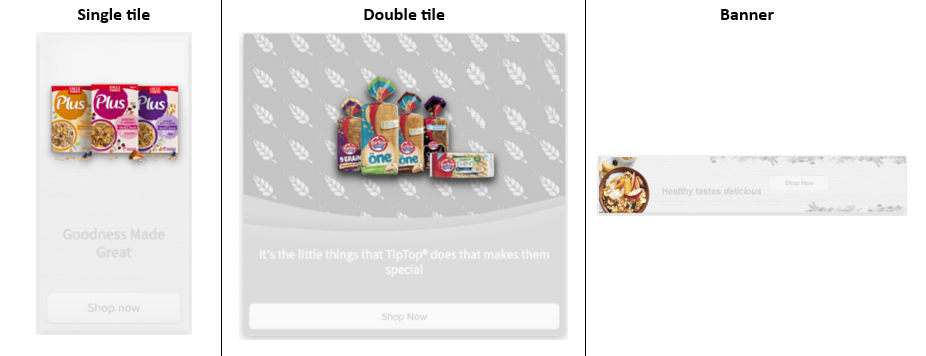
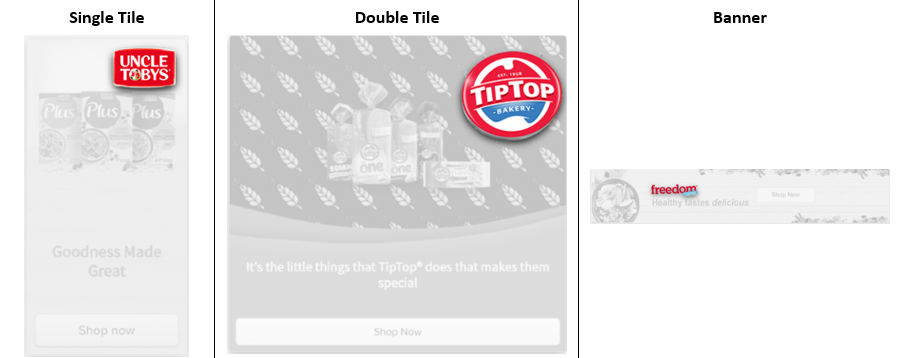
We typically have 3 standard formats we advise to use:
* **Banner**: Positioned on across the full width of a shoppable area, typically on the top of a relevant page such as above search or category listings.
* **Single tile**: Positioned in the product grid and covering a single product tile instead of a product listing. Single tiles are great for capturing shopper attention as the natural customer browsing will have attention to product listings.
* **Double tile**: Positioned in the product grid across two product tiles, creating a larger, more attention grabbing ad unit.
## Banner X Elements
### Videos
Advertisers and retailers can upload videos to their banners. These video ads are promotional videos displayed directly on the retailer's website or app.
### Primary background image
The primary background provides a simple backdrop, ensuring design clarity and consistency across devices. Avoid embedding product images or overpowering content to prevent cropping issues, especially across different devices and browser widths. The six available configurations for the primary background are:
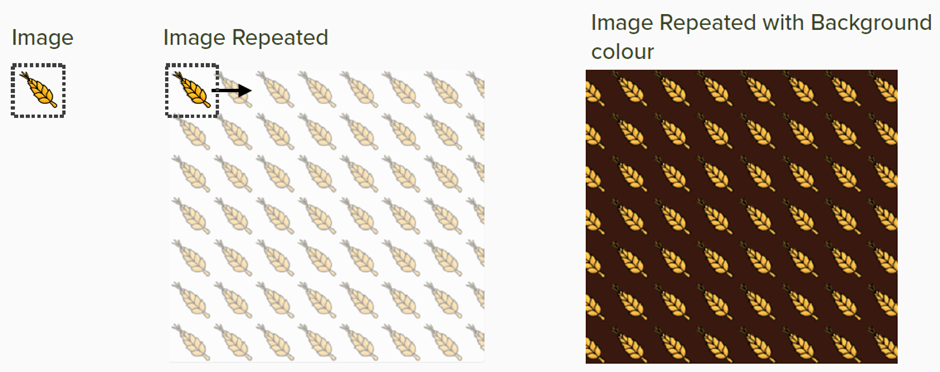
* Repeating
* Fill
* Top aligned
* Bottom aligned
* Right aligned
* Left aligned
### Secondary background image
Use the secondary background image to add decoration to your banner. The six available secondary banner configurations are:
* Repeating
* Fill
* Top aligned
* Bottom aligned
* Right aligned
* Left aligned
### Banner text
Banner text is displayed on your banner ad. It supports limited HTML tags, like `strong` for bold and `i` for italic, and allows text color customization.
### Hero image
The hero image is the main promotional image, typically displaying your product or logo. Configurations available are:
* Landscape
* Portrait
### Secondary hero image
Use the secondary hero image to display additional products or logos. Configurations available are:
* Landscape
* Block (an image with same width and height)
### Call-to-action
A call-to-action (CTA) is clickable text or a button prompting user actions, such as making a purchase or visiting another page. CTAs should be clear, action-oriented, and visually distinct to enhance engagement. For example, "Shop Now" encourages purchases.
---
# Agent Instructions
This documentation is published with GitBook. GitBook is the documentation platform designed so that both humans and AI agents can read, navigate, and reason over technical content effectively. Learn more at gitbook.com.
## Querying This Documentation
If you need additional information that is not directly available in this page, you can query the documentation by asking a question.
Perform an HTTP GET request on the following URL with the `ask` and `goal` query parameters:
```
GET https://help.citrusad.com/retail-media-interface/integration/generating-ads/banner-x-responsive/banner-x-elements.md?ask=&goal=
```
`ask` is the immediate question: it should be specific, self-contained, and written in natural language.
`goal` is what the user is ultimately trying to achieve, the reason they need the answer. Sharing it helps GitBook give you a better, more relevant answer. A goal is most helpful when it describes the outcome the user wants rather than restating the question. For example, with `ask=how do I create an API token`, a goal like `automate deployments from our CI pipeline` lets GitBook tailor the answer to that use case.
The response will contain a direct answer to the question and relevant excerpts and sources from the documentation.
Use this mechanism when the answer is not explicitly present in the current page, you need clarification or additional context, or you want to retrieve related documentation sections.