> For the complete documentation index, see [llms.txt](https://help.citrusad.com/retail-media-interface/llms.txt). Markdown versions of documentation pages are available by appending `.md` to page URLs; this page is available as [Markdown](https://help.citrusad.com/retail-media-interface/integration/feature-integrations/placement-level-product-type-blocking-hfss-support.md).
# Placement level product type blocking (HFSS support)
Epsilon Retail Media has a “blocked” filters capability that can stop certain products from being selected on placements. The purpose of this feature is to ensure compliance with HFSS restrictions.
This works by blocking any product with a blocked filter from being selected on a placement. Users will see either a “HFSS Restriction” block, or see a message that states that their product is not eligible for selection (if a non-HFSS filter).
{% hint style="info" %}
This is something we set up for you. Contact your Technical Account Manager to implement this feature.
{% endhint %}
## Integration requirements
For filter blocking on non-HFSS scenarios Epsilon Retail Media simply requires the product filters you wish to ensure products are blocked for. You can contact your Technical Account Manager to implement this.
For HFSS: Epsilon Retail Media needs a filter implemented in your product catalog specifying the HFSS status per-product. If you're looking to regionally flag HFSS, we can work with that as well.
View the below for your synchronisation method:
* [Syncing catalog & products via file](/retail-media-interface/integration/data-api/catalog-products-2/syncing-catalog-products-via-file.md)
* [Syncing products via API](/retail-media-interface/integration/data-api/catalog-products-2/syncing-products-via-api.md)
## HFSS warnings
There are a number of UI warning surfaced to users to make both campaign creation and review easier.
### Campaign creation warnings
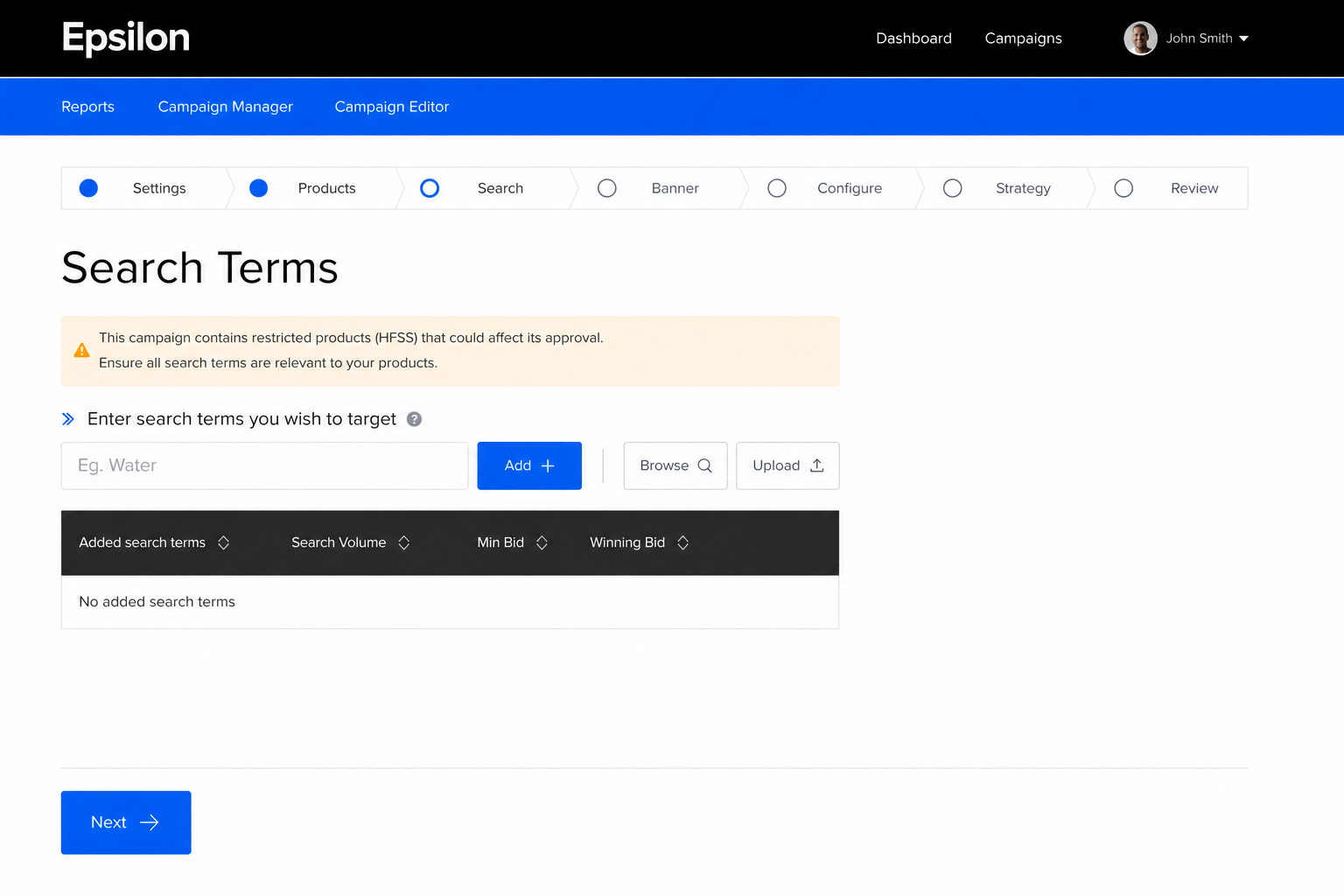
The below warnings surface if any product has a filter that contains “hfss” and “true” in them.
#### Search term selection
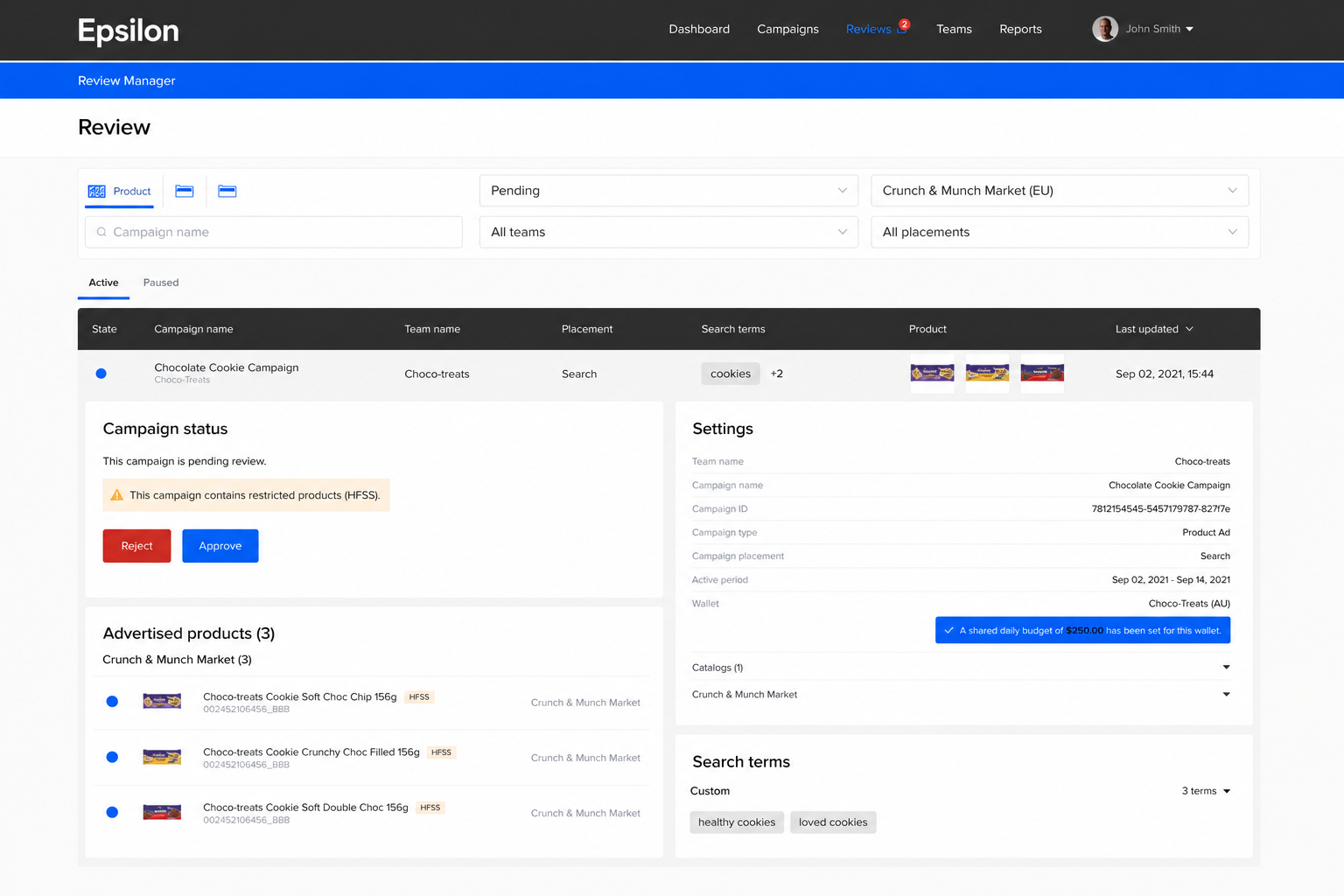
#### Retailer review warnings
When reviewing campaigns, the retailer sees a “This campaign contains restricted products (HFSS).” warning.
Additionally, there is an “HFSS” warning on the products outlining which products are HFSS, making retailer review easier.
---
# Agent Instructions
This documentation is published with GitBook. GitBook is the documentation platform designed so that both humans and AI agents can read, navigate, and reason over technical content effectively. Learn more at gitbook.com.
## Querying This Documentation
If you need additional information that is not directly available in this page, you can query the documentation by asking a question.
Perform an HTTP GET request on the following URL with the `ask` and `goal` query parameters:
```
GET https://help.citrusad.com/retail-media-interface/integration/feature-integrations/placement-level-product-type-blocking-hfss-support.md?ask=&goal=
```
`ask` is the immediate question: it should be specific, self-contained, and written in natural language.
`goal` is what the user is ultimately trying to achieve, the reason they need the answer. Sharing it helps GitBook give you a better, more relevant answer. A goal is most helpful when it describes the outcome the user wants rather than restating the question. For example, with `ask=how do I create an API token`, a goal like `automate deployments from our CI pipeline` lets GitBook tailor the answer to that use case.
The response will contain a direct answer to the question and relevant excerpts and sources from the documentation.
Use this mechanism when the answer is not explicitly present in the current page, you need clarification or additional context, or you want to retrieve related documentation sections.