> For the complete documentation index, see [llms.txt](https://help.citrusad.com/retail-media-interface/llms.txt). Markdown versions of documentation pages are available by appending `.md` to page URLs; this page is available as [Markdown](https://help.citrusad.com/retail-media-interface/integration/feature-integrations/location-targeting.md).
# Location targeting
Location targeting allows advertisers or retailers to target specific locations (such as stores or states) in their campaigns. This can be used on broader placements to narrow an audience down to a certain location.
{% hint style="success" %}
We recommend this enhancement on broad display placements
Our best practice is to integrate this on category or broad display placements, as these are more browse-based. We don't recommend this on search placements, as campaigns are already intent targeted and this can reduce the advertiser's selectable audience.
{% endhint %}
## High-level overview
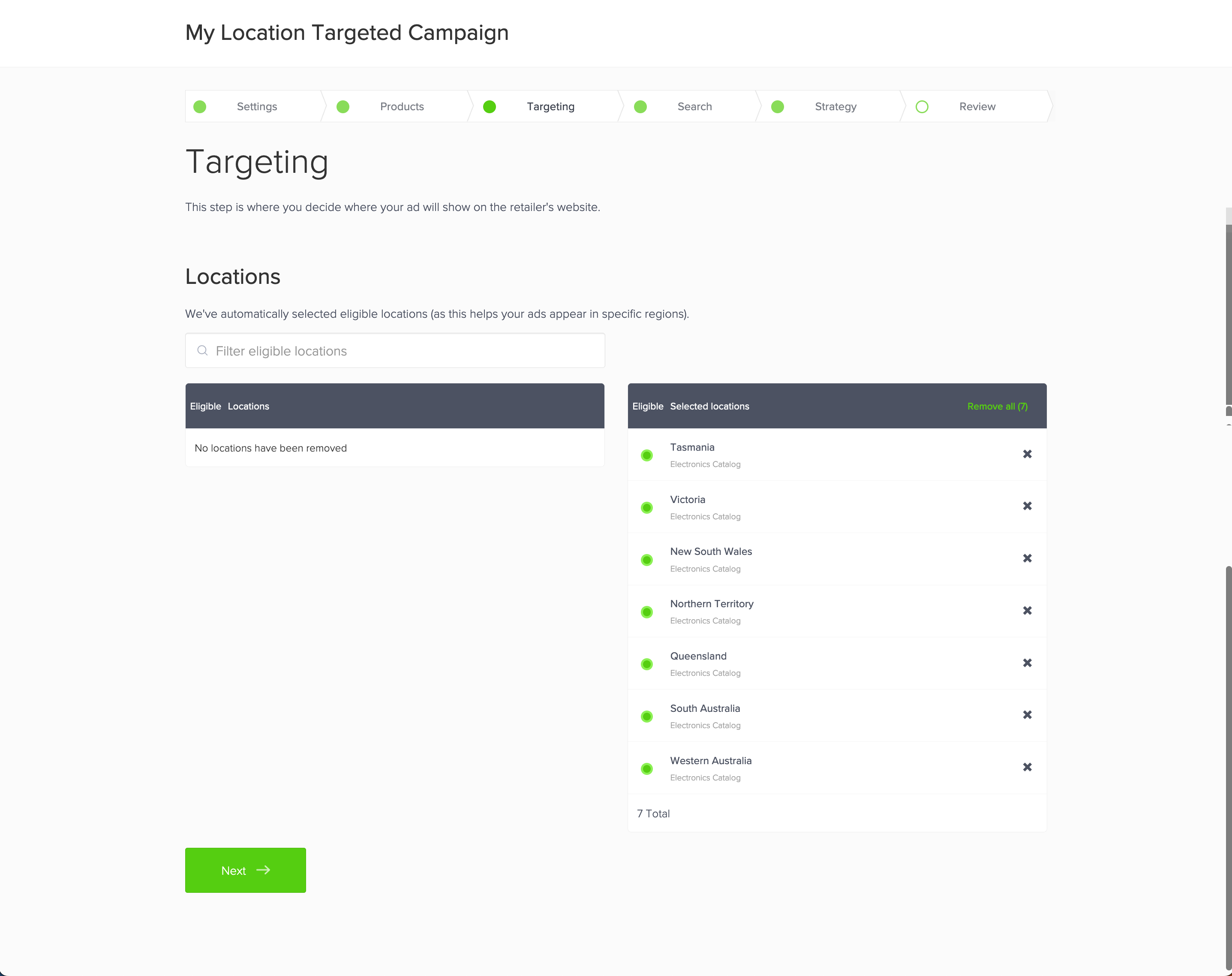
Our location targeting capability allows advertisers to select locations in the campaign wizard. This can be enabled on a per-placement level for search, category, and broad display placements. An example of the interface is below:
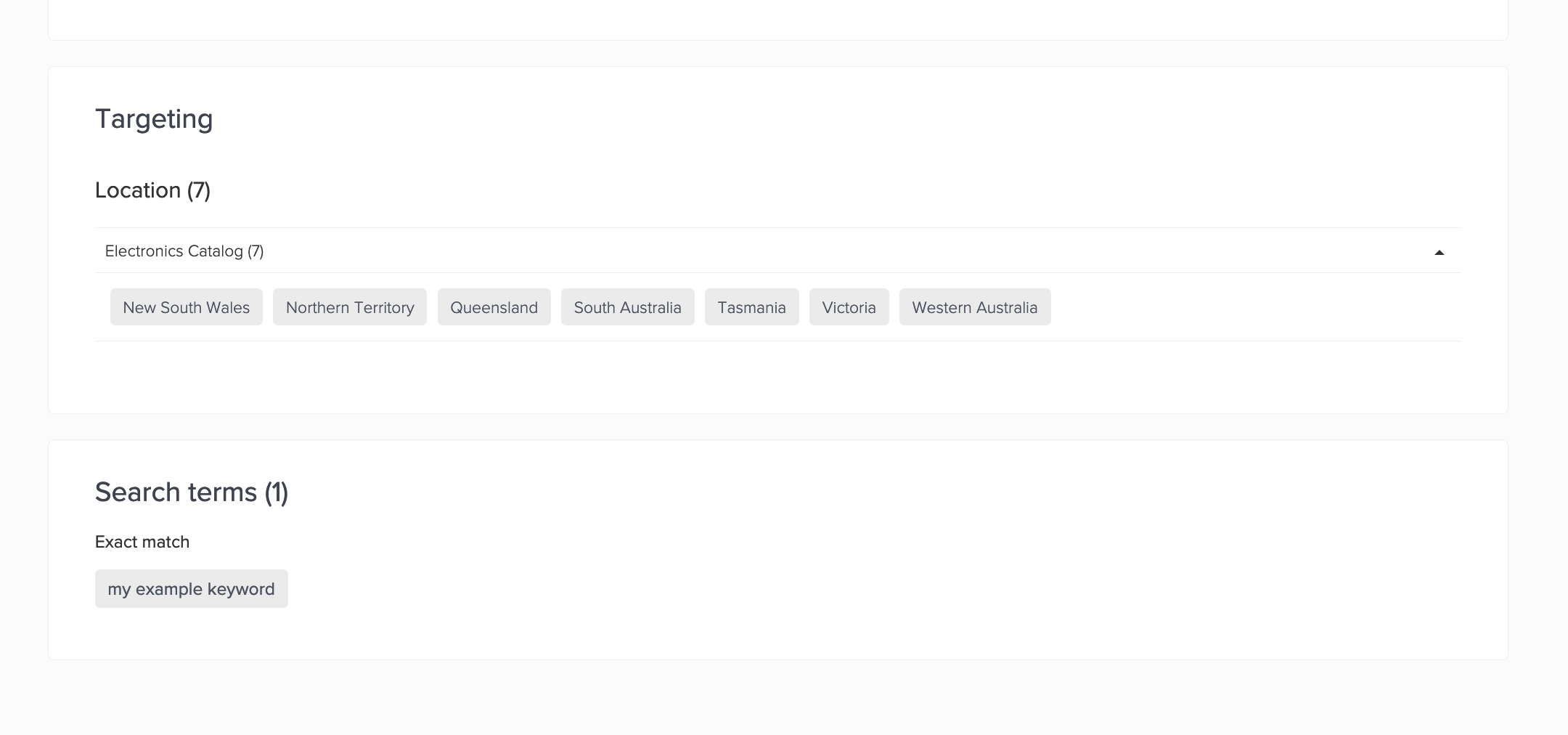
The capability works similar to our category targeting capability, allowing advertisers to select locations that are synchronised on their selected products. Once locations have been selected, they can be seen in the review and campaign manager screens.
## Integration overview
As part of this integration, you will need to do the below
1. Synchronise location-level filters on your products
2. Synchronise UI friendly location names or map locations together via the [filterMapping](/retail-media-interface/integration/citrus-filter-mapping-api/filtermapping.md) API (Conditional to integration)
1\.
1. This only applies if you are integrated with location IDs instead of names, or you are wanting to map locations together (such as syncing stores and wanting to map them to states).
3. Enhance your ad request to request location filters
### Syncing location-level filters on your products
To surface locations in the UI, the relevant data (availability) needs to be synchronised on each product. Depending on your integration, you may already be synchronising this information to improve ad fill rate.
#### Syncing via API
If you are [Syncing products via API](/retail-media-interface/integration/data-api/catalog-products-2/syncing-products-via-api.md), you will need to update each product with the relevant locations in the `filters` object. An example is detailed in the [Syncing location information](/retail-media-interface/integration/data-api/catalog-products-2/syncing-products-via-api.md#syncing-location-information) section of the Syncing products via API page.
#### Syncing via file
If you are [Syncing catalog & products via file](/retail-media-interface/integration/data-api/catalog-products-2/syncing-catalog-products-via-file.md), it is likely you simply need to add an additional column to your file that specifies the relevant location(s) each product is stocked in. This will simply be another column named `location`.
{% hint style="info" %}
Location filter format
We strongly recommend the format of your location filters is `location:`. This format will correctly appear in the reporting API. This is the same format the ad request will need to be utilising to serve ads.
If you are synchronising via file, your Client Integration Engineer can map this correctly for you.
{% endhint %}
### Syncing location names via the filterMapping API
The filter mapping API can be used to map your location IDs to human readable values. This is required if you synchronise location IDs as the UI shows the values to your users. If you are synchronising single-level filters (such as state), the UI will show each selection like below:
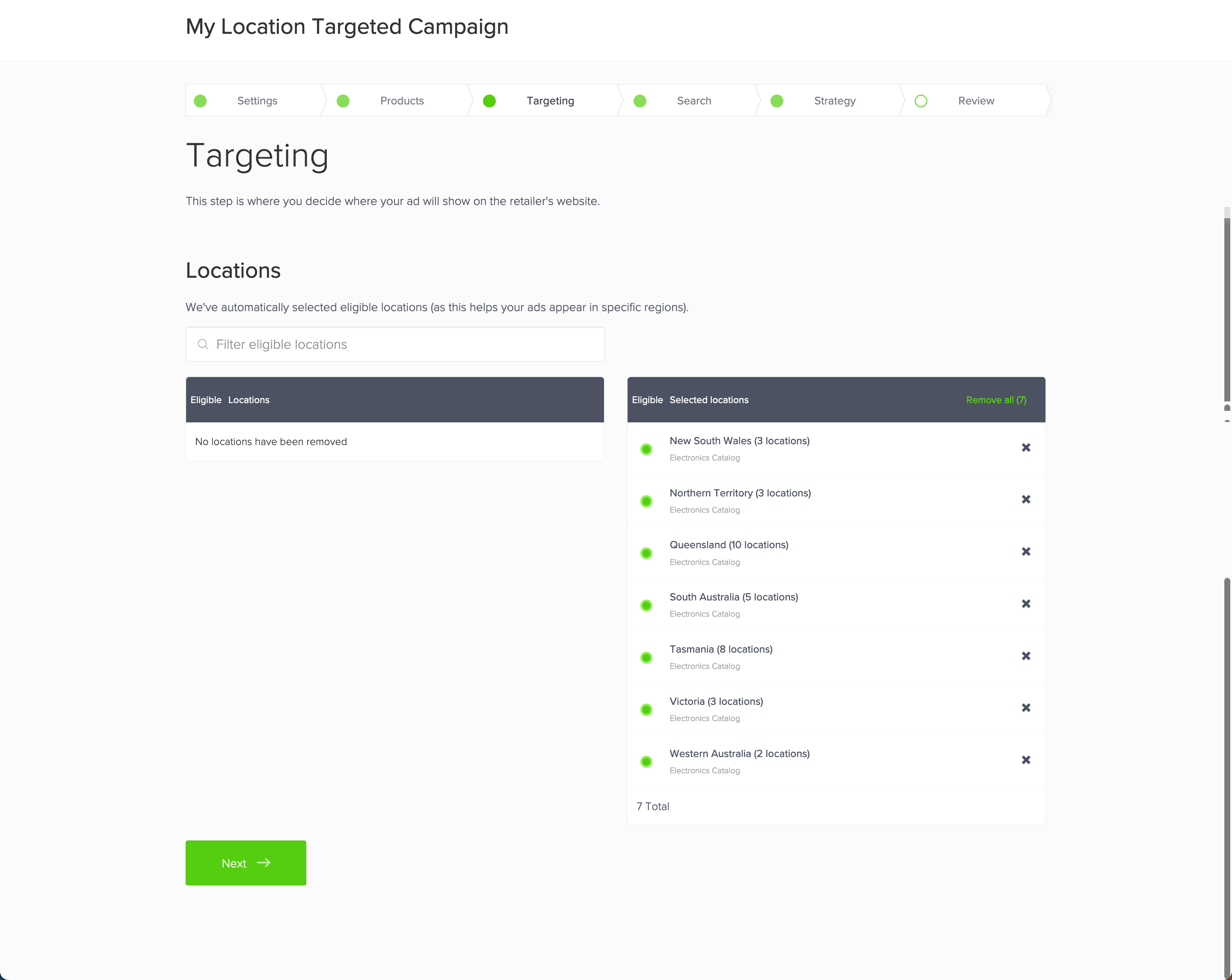
If you are mapping stores to states, or a similar aggregate, each selection will show the number of location filters it represents:
{% hint style="info" %}
If you synchronise human readable states as locations in your product catalog with Epsilon Retail Media, this step will not be required.
{% endhint %}
#### Enhancing your ad request
Depending on your integration, you may already be synchronising this information to improve ad fill rate. This entails enhancing your request to specify the user's location in the `productFilters` object.
The format of your request should match the ad request as listed below:
* [Product ad - filtering by location](/retail-media-interface/integration/generating-ads/product-ads/requesting-product-ads-1.md#filtering-by-location)
* [Banner ad - filtering by location](/retail-media-interface/integration/generating-ads/banner-ads-static/requesting-banner-ads.md#filtering-by-location)
* [Banner X - filtering by location](/retail-media-interface/integration/generating-ads/banner-x-responsive/requesting-banner-x-ads.md#filtering-by-location)
{% hint style="warning" %}
Adding location targeting to only a selected placement?
You may wish to implement this enhancement across all of your placements. This will standardise your implementation across all placements, even if you enable the targeting on selected placements.
{% endhint %}
## Known capability limitations
Before you begin development, we recommend you understand the below limitations with this functionality
* This capability leverages filters synchronised on products, we recommend to ensure that by synchronising product-location availability, that you remain within the supported SLA [Service Level Agreement](https://citrusad.service-now.com/csm/en/service-support-agreement-service-offerings?id=kb_article_view\&sys_kb_id=c508eee097438d100c0fb18fe153af42)
* This capability is not compatible with category cross-sell, or legacy product cross-sell placements.
* There is no in-UI reporting by location(s) selected in a campaign
* This information is surfaces in the fact-level reporting datasets for retailers that utilise the reporting API. Location-level reporting is available for retailers to roll-up reporting if required in external systems.
* Fixed tenancy bookings allow you to select locations on a campaign, but bookings cannot be made on a per-campaign level
* Bookings are made at a category, search-term, or placement level (for broad display placements)
---
# Agent Instructions
This documentation is published with GitBook. GitBook is the documentation platform designed so that both humans and AI agents can read, navigate, and reason over technical content effectively. Learn more at gitbook.com.
## Querying This Documentation
If you need additional information that is not directly available in this page, you can query the documentation by asking a question.
Perform an HTTP GET request on the following URL with the `ask` and `goal` query parameters:
```
GET https://help.citrusad.com/retail-media-interface/integration/feature-integrations/location-targeting.md?ask=&goal=
```
`ask` is the immediate question: it should be specific, self-contained, and written in natural language.
`goal` is what the user is ultimately trying to achieve, the reason they need the answer. Sharing it helps GitBook give you a better, more relevant answer. A goal is most helpful when it describes the outcome the user wants rather than restating the question. For example, with `ask=how do I create an API token`, a goal like `automate deployments from our CI pipeline` lets GitBook tailor the answer to that use case.
The response will contain a direct answer to the question and relevant excerpts and sources from the documentation.
Use this mechanism when the answer is not explicitly present in the current page, you need clarification or additional context, or you want to retrieve related documentation sections.