> For the complete documentation index, see [llms.txt](https://help.citrusad.com/retail-media-interface/llms.txt). Markdown versions of documentation pages are available by appending `.md` to page URLs; this page is available as [Markdown](https://help.citrusad.com/retail-media-interface/integration/data-api/audience-targeting-new.md).
# Audience Targeting
## Overview
Audience targeting enables retailers to leverage their customer data for more precise advertising campaigns. This feature allows you to sync customer and audience data to surface targeted segments for your advertisers, improving campaign performance and ROI.
## Key Benefits
* **Enhanced Targeting Precision**: Leverage first-party customer data for more accurate audience segmentation.
* **Improved Campaign Performance**: Target specific customer segments based on purchase history, demographics, and behavior.
* **Cross-Channel Activation**: For offsite integrated customers, use audience data for both onsite personalization and offsite advertising campaigns.
* **Real-Time Synchronization**: Keep audience data up-to-date with automated sync capabilities when using API.
* **Privacy-centric Option**: Maintain customer privacy while enabling effective targeting through secure data handling.
## How It Works
Audience targeting operates through a three-phase process: Integration, Activation, and Optimization.
### Integration
Retailers integrate their customer and audience data with the platform using one of three integration methods. Each method ensures that customers are tagged with the appropriate audience segments, which can be limited to specific advertiser teams if needed.
Retailers then need to ensure their ad request contains the customer ID of the customer browsing. This customer ID is linked to segments, which are surfaced in the ad wizard. Alternatively, we offer a method that allows retailers to directly provide segment ID(s) in the ad request, directly linking to the ad wizard targeting.
### Activation
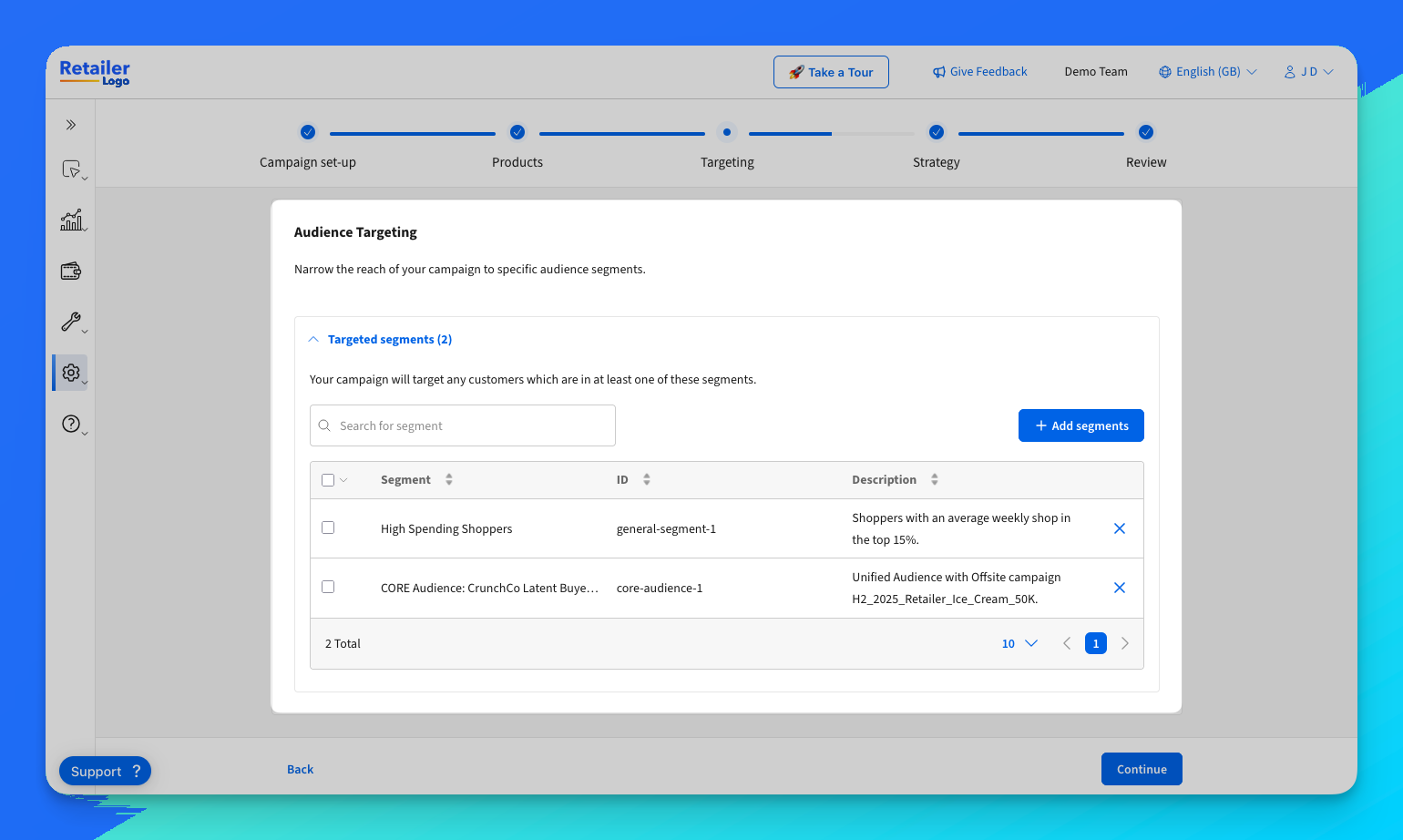
Once integrated, advertisers can select from available audience segments within the campaign management interface. Segments can be curated for specific teams or shared across all advertisers. Multiple segments can be selected to broaden reach, with customers in any selected segment eligible for targeting. Below is an example of some example segments when creating a campaign.
### Optimization
Campaign performance can be monitored and refined using the UI reporting. Advertisers can adjust campaigns based on performance metrics shown directly in the UI.
{% hint style="success" %}
For retailers integrated with Epsilon for offsite, unified reporting against campaigns help showcase the impact of messaging across the entire customer lifecycle.
{% endhint %}
## Integration Methods
To enable brands to target audiences, we offer three unique ways to synchronise audiences.
* **Curated Unified Audiences**: Uses Epsilon's pre-curated segments for retailers already integrated offsite.
* **Sync Customers & Audiences**: Retailers provide both customer IDs and segment definitions via file or API.
* **Coming Soon: Sync Audiences Only**: A privacy-centric method where only segment IDs are shared, without exposing customer identifiers.
Each method ensures that customers are tagged with the appropriate audience segments, which can be limited to specific advertiser teams if needed.
### Integration Methods Comparison
| Feature | Curated Unified Audiences | Sync Customers & Audiences | Sync Audiences Only |
| ------------------------ | --------------------------------- | -------------------------------------------------- | ---------------------------------------------------------------- |
| **Best For** | Retailers integrated with offsite | Retailers with existing clean-room/audiences setup | Retailers that cannot share customer IDs and are privacy-centric |
| **Setup Complexity** | None\* | Low-Medium | Medium-High |
| **Customer ID Required** | Yes | Yes | No |
| **Integration Method** | Offsite integration | File or API | File or API |
| **Privacy Level** | Standard | Standard | High |
\*Assumes an onsite and offsite integration is complete and performant.
---
# Agent Instructions
This documentation is published with GitBook. GitBook is the documentation platform designed so that both humans and AI agents can read, navigate, and reason over technical content effectively. Learn more at gitbook.com.
## Querying This Documentation
If you need additional information that is not directly available in this page, you can query the documentation by asking a question.
Perform an HTTP GET request on the following URL with the `ask` and `goal` query parameters:
```
GET https://help.citrusad.com/retail-media-interface/integration/data-api/audience-targeting-new.md?ask=&goal=
```
`ask` is the immediate question: it should be specific, self-contained, and written in natural language.
`goal` is what the user is ultimately trying to achieve, the reason they need the answer. Sharing it helps GitBook give you a better, more relevant answer. A goal is most helpful when it describes the outcome the user wants rather than restating the question. For example, with `ask=how do I create an API token`, a goal like `automate deployments from our CI pipeline` lets GitBook tailor the answer to that use case.
The response will contain a direct answer to the question and relevant excerpts and sources from the documentation.
Use this mechanism when the answer is not explicitly present in the current page, you need clarification or additional context, or you want to retrieve related documentation sections.