> For the complete documentation index, see [llms.txt](https://help.citrusad.com/retail-media-interface/llms.txt). Markdown versions of documentation pages are available by appending `.md` to page URLs; this page is available as [Markdown](https://help.citrusad.com/retail-media-interface/advertiser-reporting/keyword-impression-share.md).
# Keyword impression share
**Impression share** shows how many impressions your ads received compared to the **maximum number of impressions they were eligible for**. How this is calculated depends on the report you’re viewing.
## When Impression Share Is Available
* Impression share is enabled at a platform level and only available for certain retailers.
* Impression share appears only when the selected date range is **7 days or fewer**
* Is available for the **keywords report** and **keyword campaigns** on the **Onsite Performance dashboard,** as well as the **keywords tab** of the **single campaign report.**
* Applies to product ads, banner, and banner x
* Applies only to **auction campaigns**
* Is shown **in the UI only** (not included in CSV exports)
#### Visual Indicators
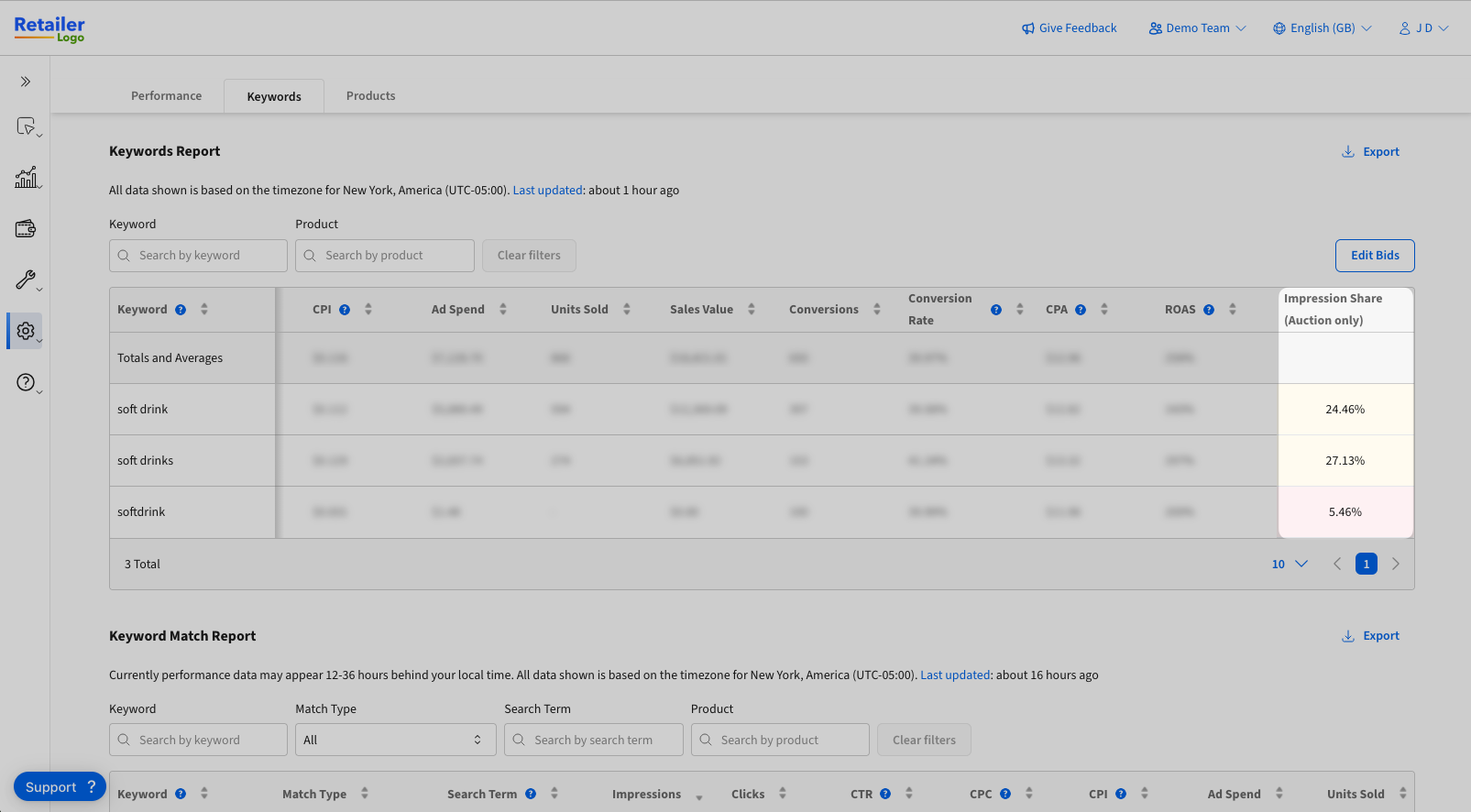
Columns are highlighted based on impression share:
* **Red:** < 20%
* **Orange:** 20–50%
* **No highlight:** > 50%
{% hint style="success" %}
**Now shown as a percentage,**
In the New UI, impression share is a percentage instead of displaying numbers. You can hover over the specific % to see the numeric values.
{% endhint %}
## How it works
### **Product Ads**
**Shows on**
#### Campaigns: onsite performance dashboard
Product ad campaigns can show **multiple products in a single ad request**, which affects the maximum possible impressions.
* If a retailer requests 10 ads per search and your campaign includes 5 products, the maximum impressions per request is 5 (not 10).
**Example**
* A campaign has 3,200 impressions
* 4 advertised products in the campaign
* 10 ads requested per search
* 1,000 searches per day
Maximum eligible impressions:\
4 ÷ 10 × 1,000 = **4,000**
Displayed impression share: **80%.** (3,200 impressions / 4,000 maximum eligible impressions).
{% hint style="info" %}
You may see differences between campaign and search term tables due to this calculation.
{% endhint %}
**Note:**\
In rare cases, impressions achieved may exceed the calculated maximum. This can occur if products were removed from the campaign recently, as impression share is calculated in real time based on current campaign settings.
#### Keywords
The keywords report compares impressions against the **total ads requested**, regardless of active products or campaigns.
**Example**
* 10 ads requested per search
* 1,000 searches per day
Maximum impressions:\
10 × 1,000 = **10,000**
{% hint style="info" %}
Unlike the Campaigns table, this does not adjust for the number of products in your campaign.
{% endhint %}
### **Banner & Banner X**
* Maximum impressions are calculated as **1 impression per slot per request**
* The number of ads requested for Banner X slots is not currently factored in
{% hint style="info" %}
The calculation for Banner & Banner X is the same between the onsite performance dashboard and keyword report.
{% endhint %}
**Example**
* A campaign has 1,000 impressions
* The retailer has 3 banner slots
* 1,000 searches per day
Maximum impressions:\
3 × 1,000 = **3,000**
Displayed impression share: **33.33%** (1,000 impressions / 3,000 maximum impressions)
---
# Agent Instructions
This documentation is published with GitBook. GitBook is the documentation platform designed so that both humans and AI agents can read, navigate, and reason over technical content effectively. Learn more at gitbook.com.
## Querying This Documentation
If you need additional information that is not directly available in this page, you can query the documentation dynamically by asking a question.
Perform an HTTP GET request on the current page URL with the `ask` query parameter, and the optional `goal` query parameter:
```
GET https://help.citrusad.com/retail-media-interface/advertiser-reporting/keyword-impression-share.md?ask=&goal=
```
`ask` is the immediate question: it should be specific, self-contained, and written in natural language.
`goal` is optional and describes the broader end goal you are ultimately trying to accomplish on behalf of the user. GitBook uses it to tailor the answer towards what is most useful for that goal.
The response will contain a direct answer to the question and relevant excerpts and sources from the documentation.
Use this mechanism when the answer is not explicitly present in the current page, you need clarification or additional context, or you want to retrieve related documentation sections.