> For the complete documentation index, see [llms.txt](https://help.citrusad.com/retail-media-interface/llms.txt). Markdown versions of documentation pages are available by appending `.md` to page URLs; this page is available as [Markdown](https://help.citrusad.com/retail-media-interface/advertiser-reporting/history-reporting.md).
# History reporting
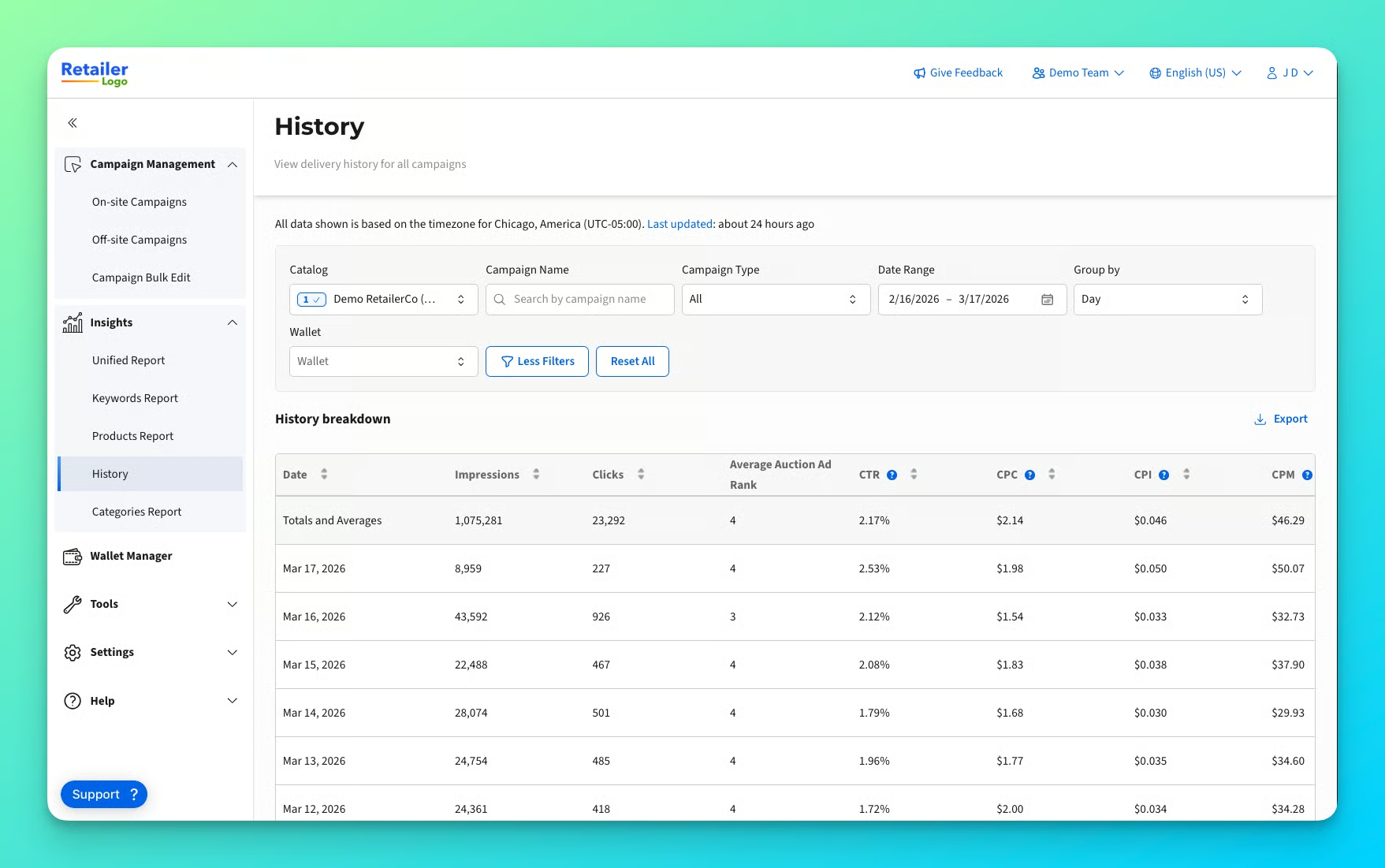
Understanding performance trends over time is critical for making smarter optimization and investment decisions. **History Reporting** gives you full historical visibility into campaign performance, using the latest standard KPIs so you can analyze trends, compare periods, and optimize with confidence.
History Reporting applies to **all supported campaign types.**
#### **How to View the History Report:**
1. Open the navigation bar on the left
2. Open the Insights menu item
3. Click History Report
It's that easy!
Learn everything about the History Report in the clickable guided tour below:
{% embed url="" %}
Want to view more guided tours? Check out the [**Demo Hub**](https://epsilon.storylane.io/hub/demo-hub)**.**
{% hint style="info" %}
Want to view campaign-level history reporting? Filter to the campaign's name, or use the [Campaign-level reporting](/retail-media-interface/advertiser-reporting/campaign-level-reporting.md) page to filter further on a specific campaign.
{% endhint %}
### What You Can Do with History Reporting
History Reporting is designed for flexible, time‑based performance analysis:
* **Analyze performance over time**\
Review historical campaign performance using consistent, standard KPIs across any selected date range.
* **Filter by campaign name**\
Quickly isolate performance for specific campaigns without switching views.
* **Group performance by time**\
View results aggregated by **day, week, or hour** to match your analysis needs.\
*Hourly breakdown is available for date ranges of seven days or fewer.*
* **Filter by wallet**\
Analyze performance by **budget source** (wallet) to understand how spend and outcomes trend over time.
---
# Agent Instructions
This documentation is published with GitBook. GitBook is the documentation platform designed so that both humans and AI agents can read, navigate, and reason over technical content effectively. Learn more at gitbook.com.
## Querying This Documentation
If you need additional information that is not directly available in this page, you can query the documentation dynamically by asking a question.
Perform an HTTP GET request on the current page URL with the `ask` query parameter, and the optional `goal` query parameter:
```
GET https://help.citrusad.com/retail-media-interface/advertiser-reporting/history-reporting.md?ask=&goal=
```
`ask` is the immediate question: it should be specific, self-contained, and written in natural language.
`goal` is optional and describes the broader end goal you are ultimately trying to accomplish on behalf of the user. GitBook uses it to tailor the answer towards what is most useful for that goal.
The response will contain a direct answer to the question and relevant excerpts and sources from the documentation.
Use this mechanism when the answer is not explicitly present in the current page, you need clarification or additional context, or you want to retrieve related documentation sections.